Canva License & Commercial Use Checker
Step 1: Your Subscription
Step 2: Intended Usage
Step 3: Content Composition
Select options above to see your risk level.
You want to start selling designs, and Canva is an online graphic design tool used to create visual content such as social media graphics, presentations, and videos seems like the easiest way to get started. It feels intuitive, and you have thousands of templates at your fingertips. But here is the hard truth: you cannot simply click "download," upload the file to a marketplace, and keep the profit without checking the fine print first. If you skip this step, you risk having your income cut off or facing legal trouble.
The short answer depends entirely on what you are designing and which subscription you hold. Creating a logo for your own business using standard elements? That is usually fine. Creating a logo for a client to put on their website? Also generally okay under a paid plan. Reselling the actual template file or the raw stock asset on a shop? That is where things get dangerous. You need to understand the difference between owning the design file and owning the content inside it.
Understanding the Core Licensing Rules
To make money with your designs, you must understand how the platform grants permission. Every time you download a project, you are accepting a contract called the Content License Agreement. This document dictates who owns what. For example, if you use a free stock photo inside your design, you do not own that photo; you own the arrangement of that photo within your layout.
This distinction matters immensely when talking about Intellectual Property refers to creations of the mind, such as inventions, literary and artistic works, designs, symbols, names, and images used in commerce. When you log into your account, you agree that you do not hold exclusive rights to the underlying media assets. If you sell a logo, the client buys the right to use the image, but you cannot later sell that same logo to another person. Exclusivity is the biggest trap for beginners who think they can mass-produce unique files.
Differences Between Free and Pro Subscriptions
Your access level changes what you are allowed to sell. A free account has strict limitations compared to a paid tier. With a free account, you generally cannot use premium elements like Pro icons, premium photos, or Pro illustrations in any work intended for resale. If you accidentally mix a free background with a Pro sticker, your entire file becomes restricted. This happens more often than you might think because the preview often looks identical until you try to export.
- Free Tier: You can create designs for personal use or for clients, but you cannot resell the template itself.
- Pro Tier: Allows you to use premium elements in custom designs created for third parties, provided those designs are original enough.
- Teams: Similar to Pro, but offers better governance for agencies handling multiple client projects.
If you plan to operate a side hustle making logos, upgrading to a paid plan is non-negotiable. Using Pro features on a free account violates the Terms of Use immediately upon discovery. Most platforms scan uploads for watermarks or metadata to identify Pro assets being used in violation of terms.
The Reality of Selling Templates
There is a huge market for editable templates on sites like Etsy. Many creators ask if they can sell their blank canvas setup. The answer is complex. You can sell a template file that contains your own text and arrangements, but you cannot claim the embedded fonts or stock photos belong to you permanently. You must instruct the buyer that they need their own subscription to unlock any Pro elements they modify.
Most successful template shops avoid this headache by building everything with only Free assets. This ensures that anyone buying your template, regardless of their subscription level, can open and edit it without restrictions. If you use a Paid font or Photo, the buyer hits a paywall. This creates a bad customer experience and leads to chargebacks.
Avoiding Copyright Infringement
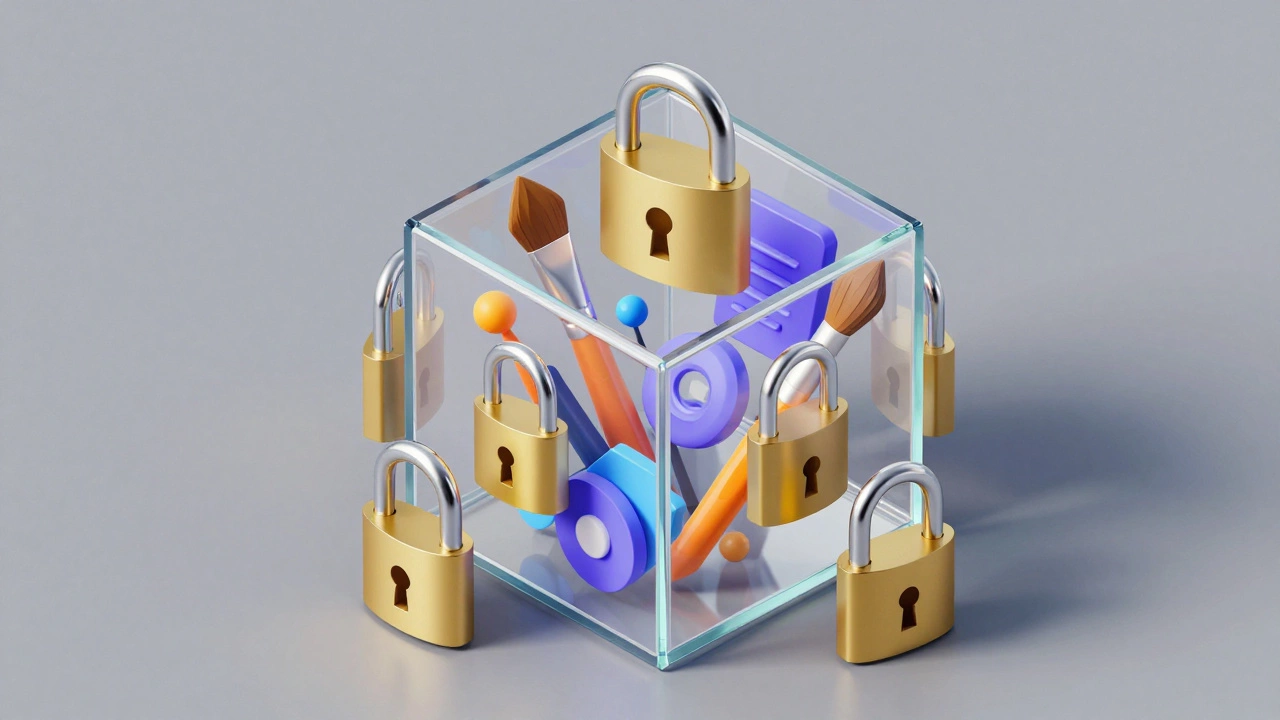
Even if Canva allows you to use an element, that does not mean the element is safe for global distribution. Some stock photography providers retain certain rights over their images. For instance, some photographers forbid using their faces in advertising campaigns that promote political views or adult products. Your client's brand identity needs to align with these hidden restrictions.
Copyright Law is a form of intellectual property law that protects original works of authorship including literary, dramatic, musical, and artistic works. Unlike other regions, many countries require registration to sue for damages, meaning your protection varies by location.When designing for resale, treat every element as if it might be contested. Avoid logos that are too similar to major brands. If a client wants a fast-food chain style burger icon, suggest a completely different color palette and shape. Plagiarism detectors are getting smarter, and so are brand protection teams. They track digital fingerprints of assets to find unauthorized uses.
| Asset Type | Allowed Uses | Restricted Uses |
|---|---|---|
| Free Photos | Client logos, marketing materials | Reselling the photo alone, merchandising without transformation |
| Pro Assets | Custom client work, branded merchandise | Redistribution as standalone templates |
| Brand Kits | Internal consistency checks | Selling the kit data externally |
| Fonts | Text in static images | Embedding web fonts in external apps |
Print on Demand Considerations
Selling physical products adds another layer of complexity. If you place a logo on a t-shirt via a service like Redbubble or Printful, you are manufacturing goods with that design. Many stock photo licenses explicitly prohibit putting their images on apparel for sale unless you add significant creative value. Simply slapping a generic vector flower on a shirt counts as little added value.
To stay safe, focus on combining elements. Overlay two patterns, change the coloring of an illustration, or overlay text creatively. The more you transform the raw asset, the less likely you are to breach the license. Always keep records of where you downloaded each component. Proof of licensing helps if someone challenges your rights later.

Better Alternatives for Full Ownership
If your goal is to sell pure assets without worrying about rental licenses, you might consider switching tools. Professional software often provides full transferability once the file is created. For example, drawing a line in Adobe Illustrator is a vector graphics editor developed by Adobe Inc. and part of the Adobe Creative Cloud suite means you own that geometry forever. There is no expiration date on a vector you draw manually.
Vectors are crucial for Vector Graphics use mathematical formulas to define points, lines, curves, and shapes to display images without pixelation because they scale infinitely. A logo drawn in pixels might blur when a client puts it on a billboard. A vector stays sharp. While manual drawing takes longer, it eliminates the fear of losing rights to third-party assets embedded in your design.
Another option is sourcing from dedicated stock libraries that offer royalty-free commercial licenses specifically for resale. These libraries function differently than general design platforms. They give you a buyout license where you purchase the asset outright rather than renting usage rights.
Handling Client Disputes
Clients expect to own the logos you deliver. You need clear contracts that state the transfer of rights. Even if Canva says you can use the assets, your agreement with the client overrides internal platform settings in some contexts. You must specify that they are purchasing the design services, not the underlying stock media inventory.
Write your invoices clearly. Line items should describe "Custom Graphic Design Services" rather than "Stock Image Transfer." This legal phrasing protects you from claims that you sold proprietary material you didn't own. If a dispute arises over trademark infringement, you want your paperwork to show you were providing a service, not distributing infringing goods.
Summary of Best Practices
Before uploading your next creation, run through this quick checklist. Did you verify every single element is licensed for commercial use? Have you removed any watermarks or hidden metadata? Are your colors and fonts distinct enough to pass uniqueness checks? If you can say yes to all three, you are in a much safer position. Remember, compliance is not just about following rules; it is about building a sustainable business that doesn't collapse due to litigation.
Ultimately, creativity comes with responsibility. Tools make it easy to produce, but they don't automatically grant the freedom to profit. By respecting the boundaries of the Licensing Agreement a legal contract granting permission to use intellectual property under specific conditions, you protect both your income and your reputation. Treat every design as a professional product, not just a hobby file, and the legal gray areas disappear.